
RStudio Open OnDemand Application
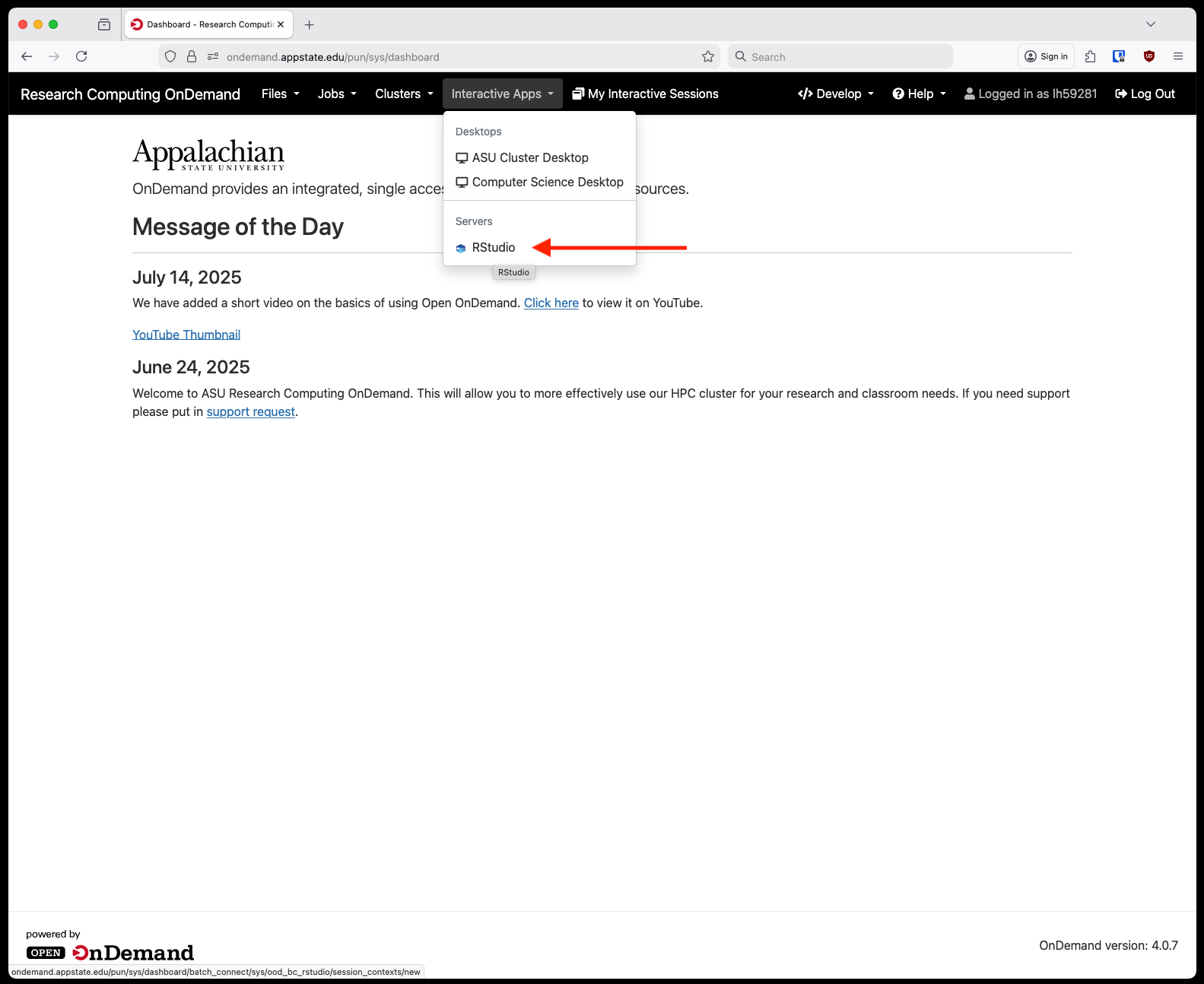
We now have RStudio available through Open OnDemand. It is accessed similarly to other interactive applications, first login to OnDemand and from the home screen select Rstudio from under Interactive Apps and Servers:
Next, fill out the information requested on the form page. There are a few pre-defined sizes for resource allocation, this will be the total amount of RAM and CPU available to your Rstudio session. An optional email filed is so you can receive an email when you session starts or closes. Partition choice should mostly be compute for faculty research.
Right now we only have one RStudio container available but as time progresses we will be keeping a small library of different versions or builds. If you need a customized container please reach out to the Research Computing team.

After you click Launch you'll be taken to a screen to wait for the session to start. This might take a minute give or take. After it is ready you will see a button appear that says "Connect to Rstudio Server."
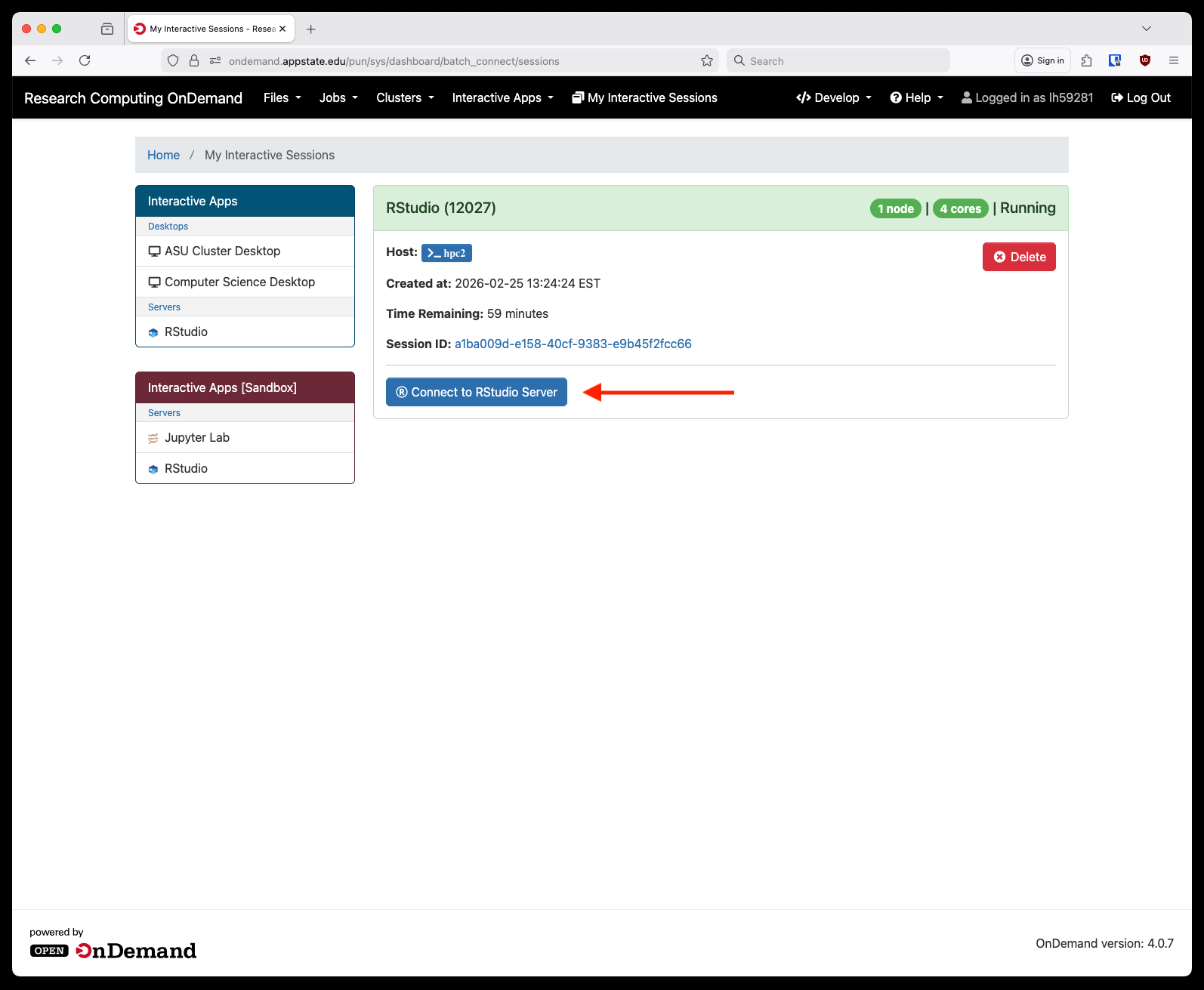
After clicking that a new tab will open with your RStudio session:
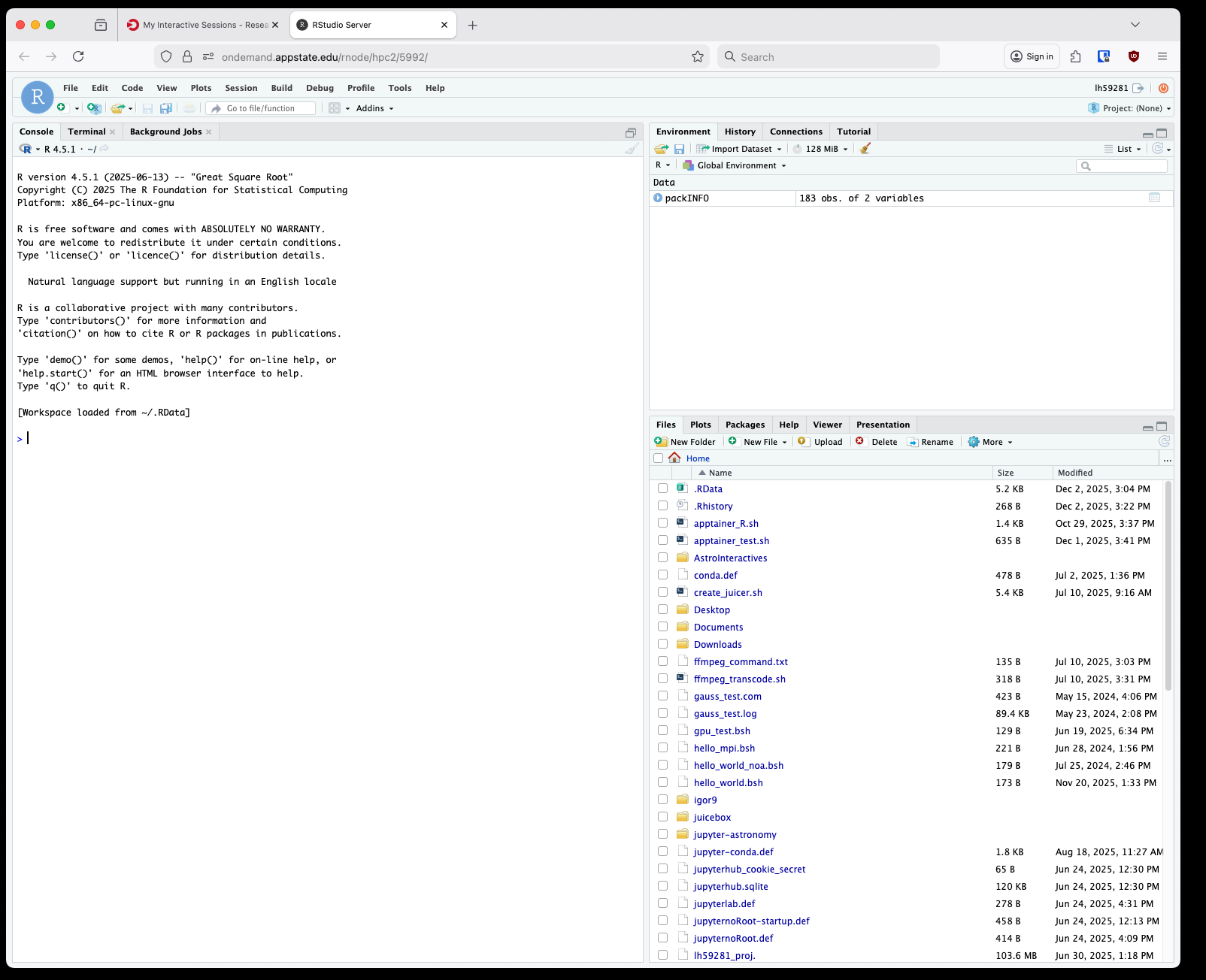
These containers are immutable so you'll need to install packages to your home directory through the R console as you go.
No comments to display
No comments to display